


[CubePilot] 픽스호크2 큐브용 캐리어 보드 (ADS-B)
Pixhawk2 ADS-B Carrier Board

판매가격208,500 원회원 가입시 추가 할인
적립금2,080 원
물류창고
E
재고
물류창고 ∞개있음
상품번호QA51600※ 전화문의시 상품번호를 알려주세요
고객선호도★★★★★ 5.0 (1개)



Email Us
상품상세설명
믿을 수 있는 팰콘샵, 6가지 안심 약속
99.9% 실재고
22년 전문가
확실한 기술지원
출고 전 촬영
실시간 배송알림
Since 2004
ADS-B Carrier Board
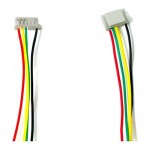
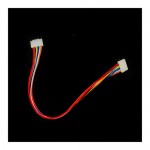
※ 케이블은 포함되어 있지 않습니다.
Built-in ADS-B
The "Full" carrier board allows you to break out the full functionality of the Cube.


uAvionix ADS-B Receiver
The new carrier board has an integrated 1090Mhz ADS-B IN receiver from uAvionix, this allows users to detect ADS-B OUT equip aircraft in the area and displays information such as the Position, Altitude, Speed and ID of the detected aircraft on a connected ground station. This also allow sense and avoid features included in Ardupilot to be used if configured.
This ADS-B receiver is connected to the internal serial 5 Port, this is compatible with Ardupilot, Mission Planner and QGC.This system will
Configuration
To enable ADSB in Ardupilot to detect aircraft on ground station you need to be using Copter or Plane 4.0 onward for the Cube Orange and set the following parameters
ADSB_ENABLE = 1 Enable ADS-B (Disabled as default)
SERIAL5_BAUD = 57 Set baud rate
SERIAL5_PROTOCOL = 1 Set protocol
SR0_ADSB = 2 Set ADSB stream rate to ground station
Note: You may need to set SR1_ADSB = 2 to enable receiving on ground station on Telem 1 or SR2 for Telem 2.
For Advanced users you can set the ADS-B Alarm and Sens and Avoid with the following parameters
AVD_ENABLE = 1 Enable alarm and avoidance using ADSB
AVD_W_ACTION = 1 (0=Disable, 1=Enable ) Enable Warnings
AVD_F_ACTION = 1 Controls how the vehicle should respond to a projected near-miss (i.e. 0= None, 1= Report, 2=Climb Or Descend, 3=Move Horizontally, 4=Move Perpendicularly in 3D, 5=RTL or 6=Hover)
AVD_F_RCVRY = 3 sets how the vehicle will behave after the vehicle has cleared the near-miss area (i.e. 0 = Remain in EXCER_ADSB, 1 = resume previous flight mode, 2 = RTL, 3 = Resume if AUTO else Loiter)
상품후기 (1)
상품문의
관련상품