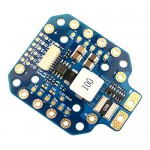



![[팰콘샵] [Matek] 마텍 AP-Periph CAN Magnetometer (CAN-L4-3100)](/shop/data/goods/fm100092098_1792252897.jpg)



상품상세설명
믿을 수 있는 팰콘샵, 6가지 안심 약속
Matek AP_Periph CAN Magnetometer (CAN-L4-3100)
- 상품설명 준비중입니다.
구성
하단 사진 참조
CAN-L4-3100 is a professional grade CAN Magnetometer based on RM3100 & ArudPilot AP_Periph firmware.
RM3100 sensor technology provides high resolution, low power consumption, large signal noise immunity,
a large dynamic range, and high sampling rates. Measurements are stable over temperature and inherently free from offset drift.
![[팰콘샵] [Matek] 마텍 AP-Periph CAN Magnetometer (CAN-L4-3100)](https://www.susungrc.com/web/upload/NNEditor/20250820/CAN-L4-3100_4.jpg)
Specifications
PNI RM3100 Geomagnetic Sensor
CAN node MCU: STM32L431xC, 256KB Flash
Interface
CAN, DroneCAN Protocol
UART2, MSP output (MatekL431-Periph fw)
UART3, for external GNSS module
ST debug, SWCLK & SWDIO
LED
Blue, Fast blinking, Booting
Blue, Slow blinking, working
Red, 3.3V indicator
Power supply for CAN-L4-3100 board : 4.5~5.5V @5V pad/pin
Power consumption: 22mA
Operating Temperatures: -40~85 °C
Physical
Board Size: 36mm*25mm*10mm. 6g
3D File CAN-L4-3100_step.zip
Firmware
ArduPilot AP_Periph: MatekL431-GPS or MatekL431-Periph
Update via DroneCAN GUI Tool or Mission Planner (AP_Periph.bin)
Update via STLink (AP_Periph_with_bl.hex)
Parameters
CAN_P1_DRIVER = 1 if attached to CAN bus1 port or CAN_P2_DRIVER = 1 if attached to CAN bus2 port
COMPASS_AUTODEC = 1
Packing
1x CAN-L4-3100 board
1x JST-GH-4P to JST-GH-4P 20cm silicon wire
Tips
CAN-L4-3100 is pre-installed with “MatekL431-GPS” firmware.
Put magnetometer far from power lines/ESC/motors/iron based material. >=10cm
2 ears for mounting can be cut off if you don’t need it.
If the CAN wires are too long, bridge the “120R” jumper.
------------------------------------------------------------
UART (MSP protocol) Connection
CAN-L4-3100 5V -- FC 4.0V ~ 5.3V
CAN-L4-3100 G -- FC G/GND
CAN-L4-3100 TX2 -- FC spare UART_RX
ArduPilot (since 4.1.x) FC Parameters
Serialx_PROTOCOL = 32 (MSP) where x is the SERIAL port used for connection on autopilot.
Serialx_BAUD = 115 where x is the SERIAL port used for connection on autopilot.
COMPASS_TYPEMASK 0 (or make sure MSP bit is not checked)
INAV (since 2.6) FC Parameters
In ports tab, Enable MSP on corresponding UART that CAN-L4-3100 connected, DO NOT enable other functions on that UART. select Baudrate 115200.
set mag_hardware = MSP
set align_mag = CW90, if compass is mounted flat with arrow facing forward, and flight controller arrow is facing forward also.